Residents
Download HomeHub
Your home, your community, your way. Download HomeHub free on iOS and Android and connect with your housing provider today.
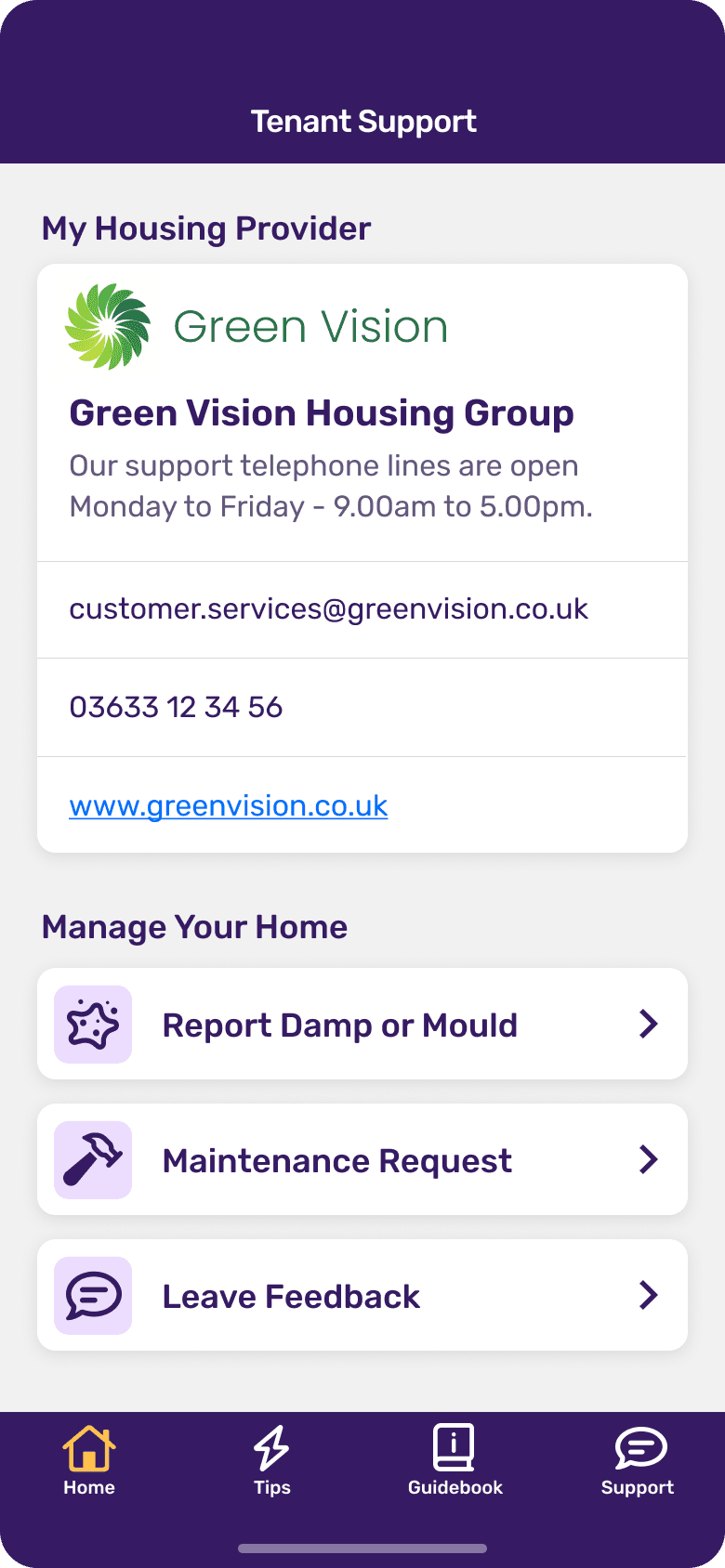
Everything about your home, in one app
Information about your home can easily end up spread across phone calls, letters, text messages and emails. HomeHub brings it all together, so what matters to you is easier to find and easier to follow.
Report a repair and follow its progress
Message your housing provider directly
Access tenancy documents and guides
Stay up to date with community and estate news
Get practical advice about your home's energy use
Track updates on repairs and planned works
Getting started
Set up your account in minutes
No paperwork, no calls, no queues — just download, sign up and connect to your home.
Download the app
Available free on the App Store and Google Play. Search for HomeHub or use the links below.
Create your account
Sign up with your email address and verify your identity. Takes less than two minutes.
Connect to your provider
Enter your address or housing provider code to link your account to your home.
Start using HomeHub
Report repairs, check your documents, stay informed, and connect with your community.
Download free
Available on iOS and Android, free for every resident whose housing provider uses HomeHub.

Scan to download
Is your housing provider on HomeHub?
HomeHub is available to residents whose housing provider has signed up to the platform. If your landlord isn't using HomeHub yet, ask them to get in touch.
Download FAQs
Common questions about getting started
Is HomeHub free to download?
Yes. HomeHub is free to download and use if your landlord, council or housing association has made it available to you.
Which devices does HomeHub support?
HomeHub is available on iOS and Android phones and tablets, through the App Store and Google Play.
What if my housing provider isn't on HomeHub yet?
You'll still be able to create an account, but you won't be able to connect it to your home until your provider signs up. Ask them to get in touch with us.
Do I need an invite code to sign up?
Not always. Some housing providers send an invite code or link, but you can usually also connect by entering your address once you've created your account.
Can I use HomeHub on more than one device?
Yes. Sign in with the same account on any supported device and your information stays in sync.
What can I do once I sign in?
Report and track repairs, message your housing provider, access documents, follow community updates and get advice about your home.
Have another question? Visit our full FAQs or get in touch.
Your home, connected to your phone
Download HomeHub free today and get everything about your home in one place.